
An interactive Zigbee network map for the wiserHomeAssistantPlatform integration. See how devices connect to your hub and repeaters, inspect signal quality, and arrange the map to suit your dashboard.
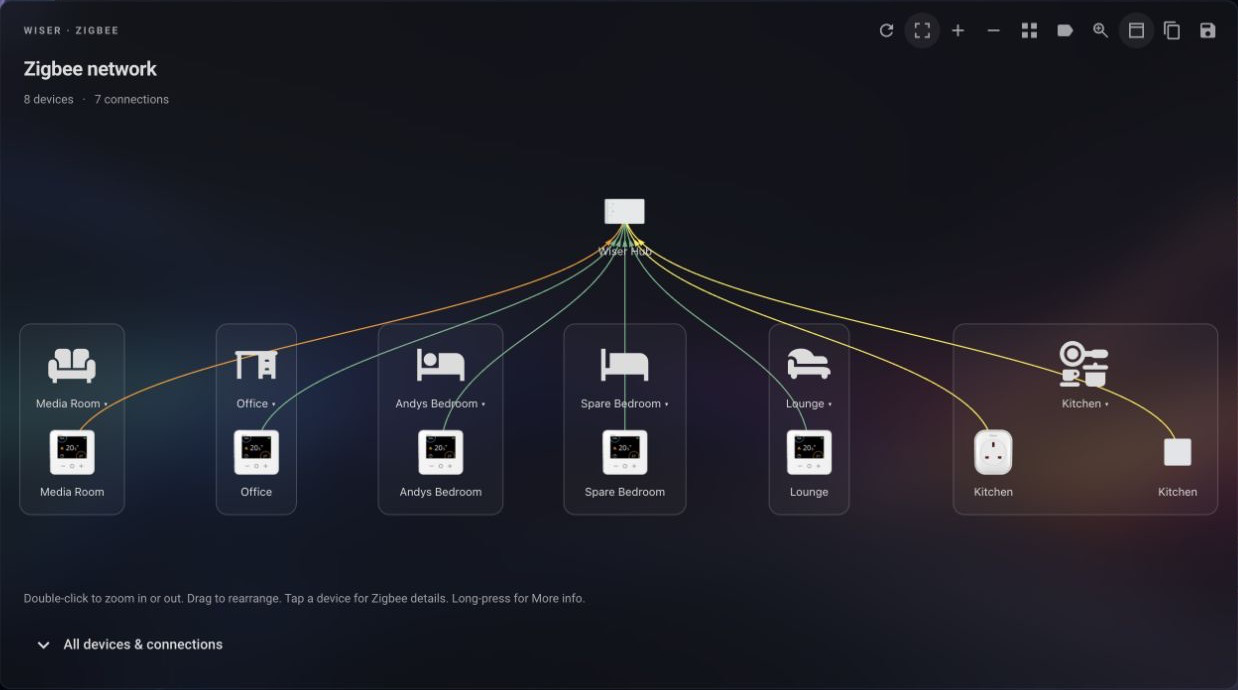
- Real device connections with product images, signal colours and optional link labels.
- Horizontal, Vertical and Pie layouts, with optional Home Assistant area grouping.
- Device details, zoom controls and a magnifying glass for exploring larger networks.
- Saved layouts shared through dashboard configuration, plus toolbar Copy/Paste for card and panel settings.
- Native Home Assistant controls and theme support, with 12 supported locales: English (US/GB), Danish, Dutch, Finnish, French, German, Hungarian, Norwegian Bokmål, Portuguese, Spanish and Swedish.
Release versions of Wiser Zigbee Card are included with the wiserHomeAssistantPlatform integration. Install or update the integration to receive the bundled card; no separate card installation is needed.
You need a configured Wiser integration. Each card displays one hub; add separate cards for additional hubs.
Add Wiser Zigbee Card to your dashboard and select Wiser Hub in the visual editor.
The wiki contains the full documentation:
- Sidebar panel — hub tabs and panel settings.
- Configuration — editor options and YAML examples.
- Using the map — toolbar, gestures, device details and signal colours.
- Areas and layouts — grouping, orientation and map sizing.
- Saving layouts — saving and transferring card and panel settings.
- Troubleshooting — help with loading, device details and saved layouts.
- Development — building, testing and running the demo.
Product images are embedded in the bundle. See ASSETS.md for image sources and device coverage.
Originally created by Mark Parker (@msp1974).