



CS Bridge is a VS Code extension for working on high-performance computing (HPC) clusters. It requests a compute node through Slurm, reaches it through a Microsoft Dev Tunnel, and opens a VS Code window on it, so the editor, terminal and debugger run where the code runs.

- SSH hosts — they come from
~/.ssh/config; a new one is added by pasting itssshcommand. - Job form — partition, Slurm account, CPUs, memory, GPUs and walltime are chosen once; CS Bridge writes and submits the job script.
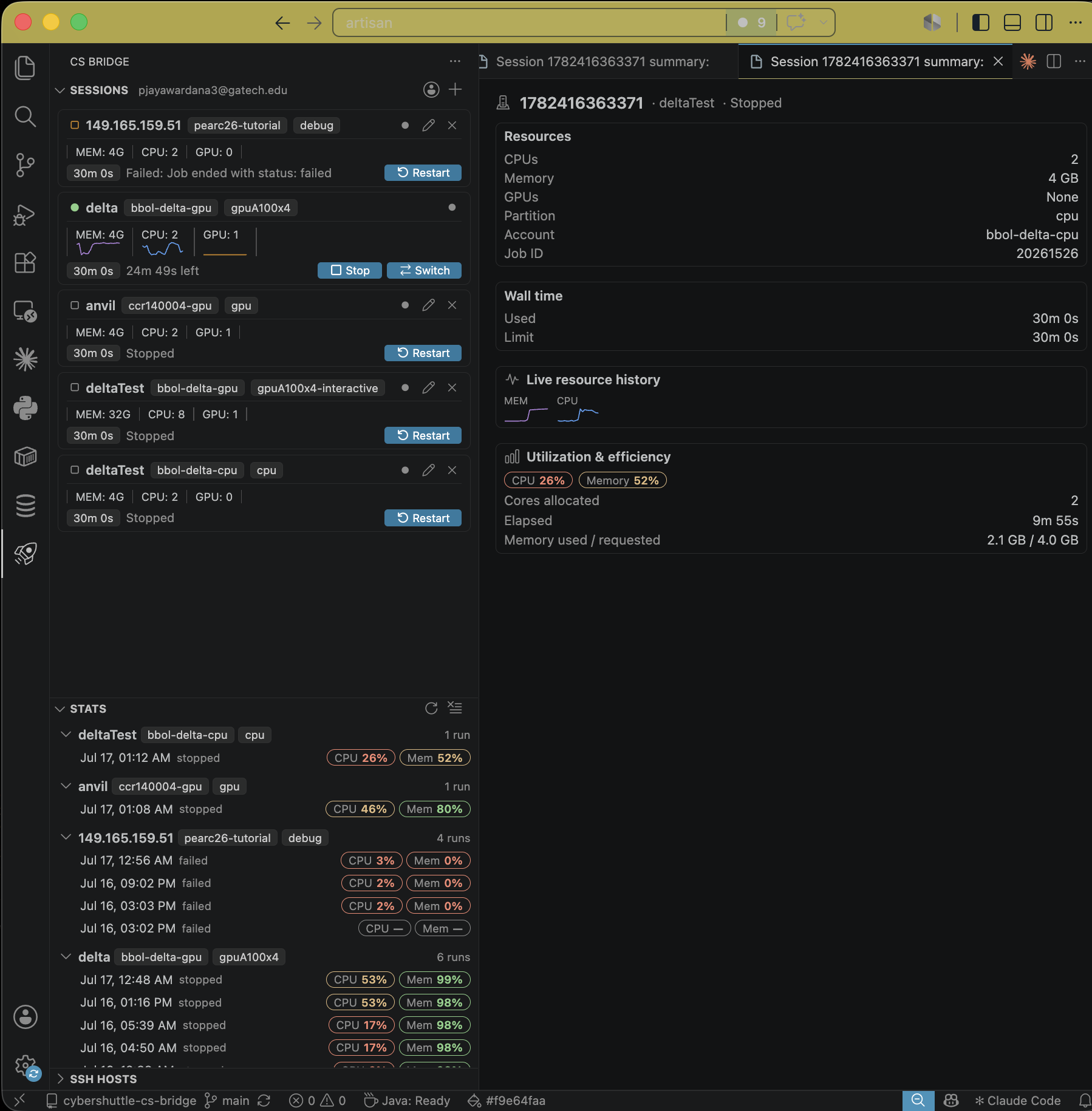
- Live usage — each session shows the job state and its current CPU, memory and GPU use.
- Persistent sessions — a job outlives its VS Code window; Connect opens a new window on the same job.
- Start again — a finished session can be started again.
- Run history — the Run History view records the CPU and memory efficiency of every run.
- No inbound ports — connections go through a Microsoft Dev Tunnel, so the cluster opens no port.
CS Bridge is tested on the following ACCESS clusters (🟢 supported, 🟡 partially tested, 🔴 unsupported). Any Slurm cluster whose compute nodes have outbound internet access should work. Results from other clusters are welcome in the issue tracker.
| Name | Hostname | Slurm | Architecture | Compatibility |
|---|---|---|---|---|
| Anvil | anvil.rcac.purdue.edu |
25.11 | x86_64 | 🟢 |
| Bridges-2 | bridges2.psc.edu |
22.05 | x86_64 | 🟢 |
| Delta | login.delta.ncsa.illinois.edu |
25.11 | x86_64 | 🟢 |
| DeltaAI | dtai-login.delta.ncsa.illinois.edu |
25.11 | aarch64 | 🟢 |
| Expanse | login.expanse.sdsc.edu |
23.02 | x86_64 | 🟢 |
| Stampede3 | stampede3.tacc.utexas.edu |
23.11 | x86_64 | 🟢 |
CS Bridge requires VS Code 1.98 or newer, a Slurm cluster reachable from ~/.ssh/config, and a free Microsoft account. Building from source is covered in CONTRIBUTING.md.
- Install from the VS Code Marketplace, or search for
CS Bridgein the Extensions view. - Open CS Bridge from the activity bar and sign in with a Microsoft account, which is used only to authenticate the Dev Tunnel.
- Select an SSH host.
- Fill in the resource form.
- Click Start, then Connect. A new VS Code window opens on the compute node.
A cluster is entered through an SSH host, but work runs on compute nodes that Slurm allocates. CS Bridge installs Linkspan, a small agent, on the cluster and runs it inside each job; Linkspan hosts a Microsoft Dev Tunnel from the compute node, which is how VS Code reaches it without any inbound port.
With csbridge.experimentalFeatures on, the csbridge.transport setting also offers link (experimental): after signing in to CyberShuttle from CS Bridge: Open Menu, Linkspan opens a WebSocket to cs-plane instead of a Dev Tunnel, and Connect forwards SSH through cs-plane. It needs VS Code 1.101 or newer.
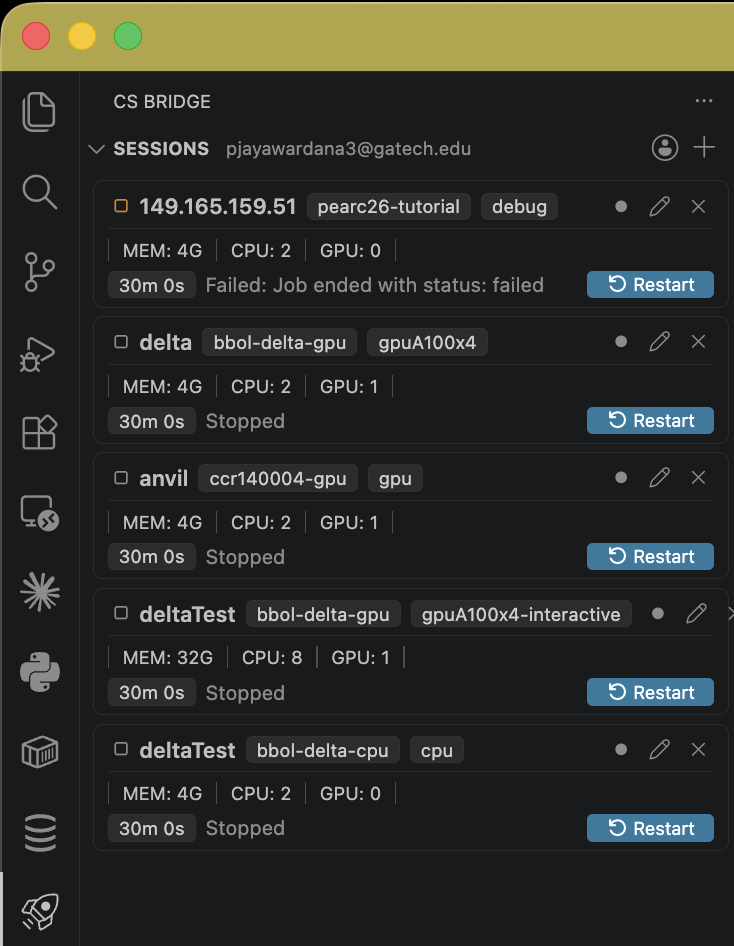
Start submits the job. The session shows its state and, once running, its CPU, memory and GPU use.
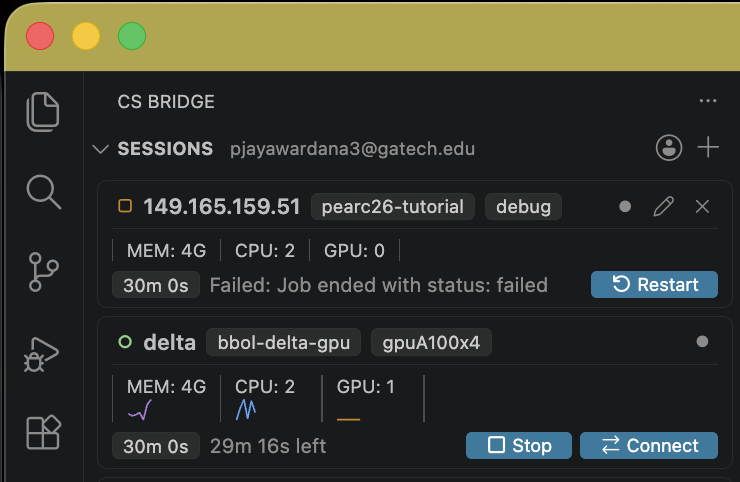
Connect opens a VS Code window on the compute node.
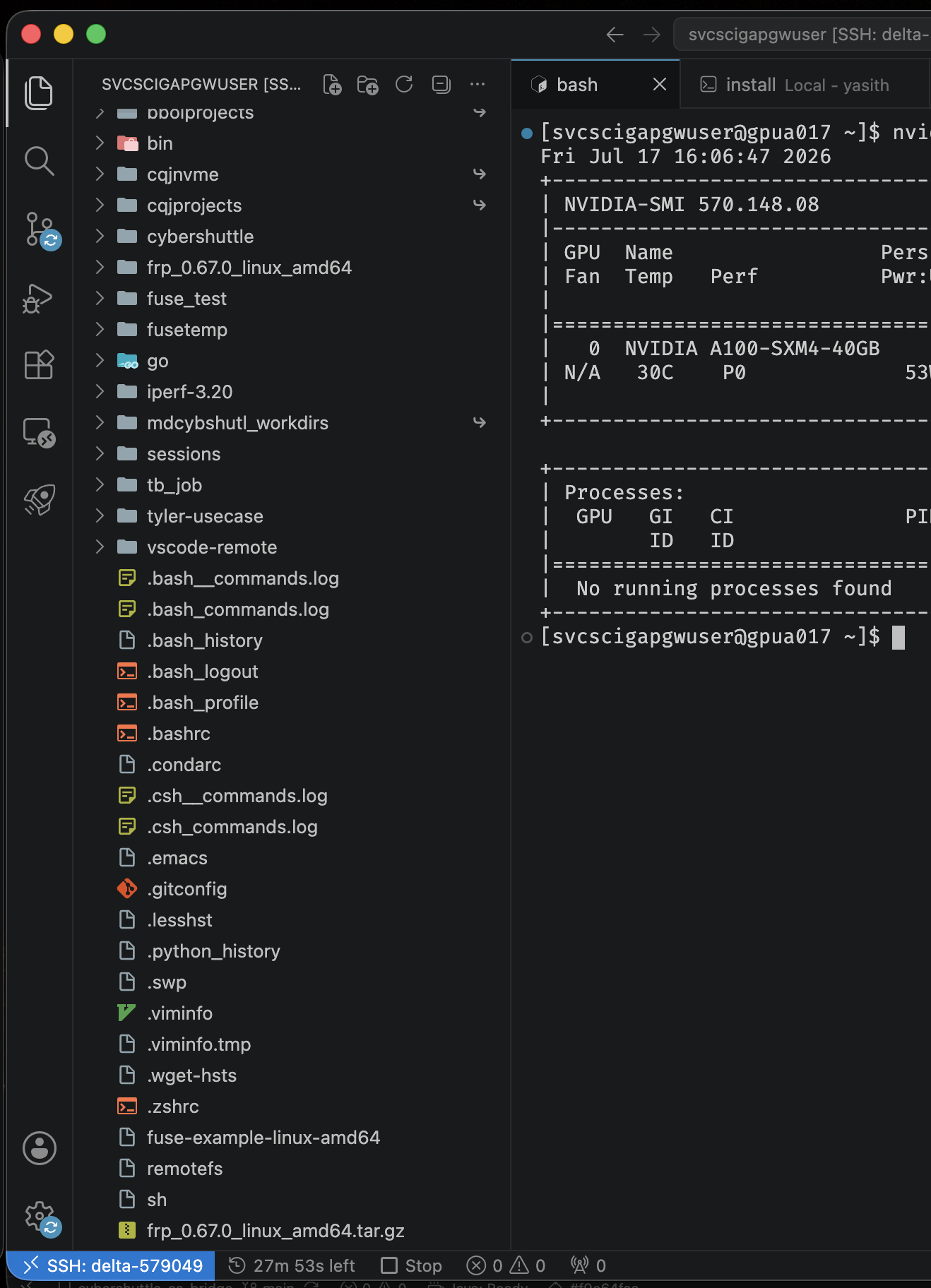
After a run ends, the Run History view records its CPU and memory efficiency.
The full design is described in docs/ARCHITECTURE.md.
Local
~/.cybershuttle/sessions/holds one<sessionId>.jsonper session.~/.cybershuttle/metrics/holds the run history and usage of each session.~/.cybershuttle/ssh_configdefines the per-session SSH aliases and is included from~/.ssh/config.~/.cybershuttle/ssh_keys/holds the per-session SSH keys.~/.cybershuttle/ssh_control/holds the ControlMaster sockets.- VS Code keeps the Microsoft account token in the operating system keychain.
- VS Code's SecretStorage keeps the credential of CyberShuttle sign-in (experimental).
Remote
~/.cybershuttle/bin/linkspanis installed on first launch.~/.cybershuttle/logs/holds the Linkspan output of each session.
To reset, remove ~/.cybershuttle/ on both machines and the Include line in ~/.ssh/config.
CS Bridge collects no analytics. SSH credentials and Dev Tunnel traffic pass only between the user, the cluster and Microsoft Dev Tunnels. Opt-in analytics is on the roadmap.
-
How does CS Bridge differ from Remote-SSH?
Microsoft's Remote-SSH attaches a VS Code window to an SSH host that is already reachable. CS Bridge adds the steps a cluster needs first: the Slurm job, the compute node and the Dev Tunnel past the SSH host and firewall. It then hands the final attach to Remote-SSH.
-
Which operating systems are supported?
Windows, macOS and Linux locally, wherever VS Code and OpenSSH run. The cluster needs a Unix-like environment with SSH and Slurm.
-
Do VS Code forks work?
VS Code Insiders, Cursor and other forks with Remote-SSH support and Marketplace access usually work but are not tested.
-
Why is MFA requested again?
One authenticated SSH connection is reused for ten minutes of inactivity. After that, the cluster prompts again.
-
Why do remote extensions reinstall every session?
The VS Code server runs from node-local
/tmp, which is not shared across jobs. Extensions listed in Remote-SSH'sremote.SSH.defaultExtensionssetting are installed automatically. -
Why is the form's minimum 2 CPUs and 4 GB?
Anything less starves the VS Code server, and a 2 GB job is killed for exceeding its memory.
-
Why is file transfer slower than plain SSH?
Dev Tunnels route through Microsoft's service, which caps throughput at tens of Mbit/s. Move large data through the SSH host with
scporrsync.
-
Microsoft sign-in fails.
The network must allow
login.microsoftonline.comand*.devtunnels.ms. -
Session stays on
Submitting….The first launch installs Linkspan, which needs outbound access to github.com from the cluster. Check
~/.cybershuttle/logs/on the cluster. -
The remote window disconnects.
The Dev Tunnel connection is rebuilt automatically; if that fails, the session returns to Connect. Click Connect again, and check
View > Output > CS Bridgefor the failing step. -
The remote window crashes or reports
No ptyHost heartbeat.The job's memory limit is killing the VS Code server. Start the session again with more memory.
-
The Dev Containers extension errors in the remote window.
It needs a container runtime that the cluster does not provide. Disable it for the remote window.
Search the issue tracker before opening an issue. The bug form asks for the View > Output > CS Bridge log and the remote ~/.cybershuttle/logs/ output. Changes between releases are listed in CHANGELOG.md.
CS Bridge is pre-1.0, and interfaces may change between releases. The following work is planned, in no particular order.
- Issue reporting from the extension — file an issue with a typed description and an automatically captured stack trace.
- Queue visibility — queued jobs, queue positions and estimated start times shown in the Sessions view.
- Opt-in analytics — anonymous analytics to a central endpoint, sent only after explicit consent.
- Cloud VM support — provision a cloud VM and run a session on it, for work that needs no cluster.
- File mounts — mount local files and external datasets into the remote session.
- Checkpoint and restore — checkpoint a session and resume it in another job with its running processes intact.
Issues and pull requests are welcome. CONTRIBUTING.md covers development setup and the pull-request workflow, and participation is governed by the Code of Conduct. Security problems go through SECURITY.md, not the issue tracker.
CS Bridge is part of CyberShuttle, the ARTISAN group's toolset for interactive HPC work. If it supports your research, please cite:
@software{cybershuttle,
  title  = {CyberShuttle: Remote HPC Development from VS Code},
  author = {{ARTISAN Research Group, Georgia Institute of Technology}},
  year   = {2026},
  url    = {https://github.com/cyber-shuttle/CS-Bridge}
}Developed by the ARTISAN research group at Georgia Tech. Built on Linkspan, Dev Tunnels and OpenSSH.